

Last updated: 12 June 2026
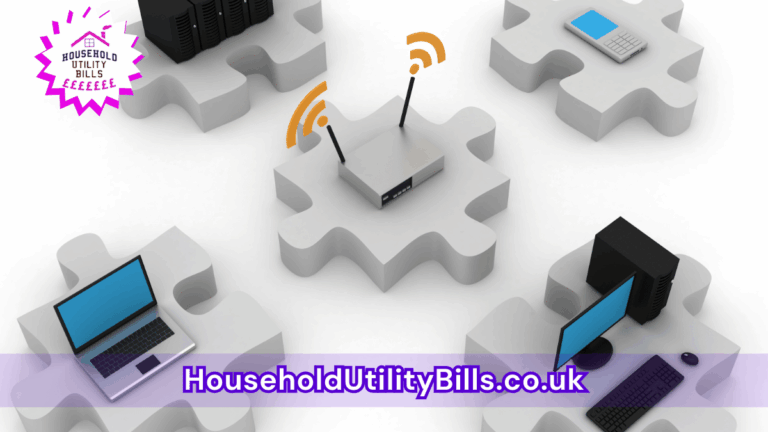
Wifi slow on smart home devices can seriously disrupt your daily routine. When your smart devices struggle to connect, it can lead to frustration and inefficiency in your home. Poor wifi performance may even prevent you from fully enjoying the conveniences that smart technology brings.
To improve your situation, check your router placement, update your equipment, or consider using wifi extenders. These actions can significantly enhance the performance of your devices, allowing for smoother streaming, quicker responses, and an overall better experience at home. Investing a little time can lead to a much more efficient household.
This issue is particularly relevant when your family relies on multiple smart devices for tasks like streaming, security monitoring, or remote controls. Delays or outages can impact not only entertainment but also essential home functions, creating stress during busy moments. Understanding this can help you take the right measures to mitigate frustration.
Your Smart Home Has Put the WiFi on Trial
Your smart gadgets are staging a network mutiny, and a blind extender purchase can leave the real culprit laughing. HUBS Smart WiFi Fault-Finding Sheet helps you separate broadband trouble, weak coverage, device faults and congestion before you spend. See the money checks worth doing next:
- You take a wired speed test at the router, if possible, and compare the result with a WiFi test nearby; this helps separate a broadband problem from a wireless one
- You test the same device in the problem room and near the router, then test another device in the problem room to see whether the fault follows the room or the device
- You note which devices fail, where they are, and when problems happen, so you can spot patterns such as peak-time slowdowns or one unreliable room
Plus more… Grab the full check now.
Free. Sent straight to your inbox. No marketing unless you choose it above.
1. wifi slow on smart home devices: Identify the cause of your wifi issues
To understand how slow wifi affects your home, it’s important to identify the root causes. Many assume their internet speed is adequate, but in reality, the coverage and capacity of their wifi network may be lacking. This is especially true if you have numerous smart devices competing for bandwidth. Conducting a speed test can help reveal whether your internet provider is delivering promised speeds or if the problem lies within your network.
2. wifi slow on smart home devices: Check your router placement
Router placement greatly influences your wifi connection. If your router is in a hidden corner or the basement, you may experience weak signals in other parts of the house. Aim to position your router in a central location, preferably elevated, to maximise coverage. Additionally, ensure that it’s free from obstructions like thick walls or large furniture.
3. wifi slow on smart home devices: Update your hardware
Outdated routers can cause significant slowdowns. If your equipment is more than a few years old, it may not support the latest standards for speed and connectivity. Upgrading to a modern router can enhance performance and handle multiple devices seamlessly. Many newer models also feature improved technology for better coverage and stability.
4. wifi slow on smart home devices: Use wifi extenders
If you’ve checked the placement and updated equipment but are still facing issues, consider using wifi extenders. These devices can help amplify your signal, reaching areas of your home that previously had poor connectivity. Investing in a high-quality extender can make a noticeable difference in your smart devices’ performance.
- How Slow WiFi Impacts Your Streaming Stick’s Performance: Tips For A Smoother Experience
- What Happens When Your WiFi Is Slow With Multiple Devices Connected: The Impact On Streaming Quality And Household Satisfaction
- Why A Weak Signal Far From The Router Could Disrupt Your Daily Activities: The Impact On Remote Working And Streaming Quality
- Understanding Why Calls Fail When Signal Appears Full: Costs, Causes, And Practical Solutions
- Understanding Why Homes Become Cluttered Over Time: Costs, Causes, And Practical Solutions
People Also Ask…
How can I check my internet speed?
You can check your internet speed using various online tools like Speedtest.net. This will help you understand if your connection is performing as expected.
What can I do if my router is outdated?
If your router is outdated, look for newer models that support the latest wifi standards. Ensure the chosen model fits your connectivity needs and budget.
Why is my smart home device not connecting properly?
Your smart home device may not connect properly due to poor wifi signal strength, interference from other devices, or compatibility issues. Ensure your device is within range of your router and that it’s compatible with your network.
Should I contact my internet service provider?
If you’ve tried troubleshooting but still encounter issues, consider contacting your internet service provider. They can run diagnostics and help identify any potential problems with your service.
When should I consider using a wifi extender?
If you notice weak signal areas in your home or experience dropped connections frequently, it’s a good time to consider using a wifi extender. This can help improve overall connectivity.
Your Smart Home Has Put the WiFi on Trial
Your smart gadgets are staging a network mutiny, and a blind extender purchase can leave the real culprit laughing. HUBS Smart WiFi Fault-Finding Sheet helps you separate broadband trouble, weak coverage, device faults and congestion before you spend. See the money checks worth doing next:
- You take a wired speed test at the router, if possible, and compare the result with a WiFi test nearby; this helps separate a broadband problem from a wireless one
- You test the same device in the problem room and near the router, then test another device in the problem room to see whether the fault follows the room or the device
- You note which devices fail, where they are, and when problems happen, so you can spot patterns such as peak-time slowdowns or one unreliable room
Plus more… Grab the full check now.
Free. Sent straight to your inbox. No marketing unless you choose it above.