

Last updated: 12 June 2026
Broadband dropping during downloads can be a frustrating issue. It often affects your ability to stream content smoothly or engage in online activities without interruptions.
If you are experiencing this problem, consider checking your internet speed, your router’s location, or the devices connected to your network. Addressing these factors can significantly improve your online experience and help avoid additional costs associated with slower speeds.
This issue is particularly relevant for households that rely heavily on streaming services, online gaming, or work-from-home setups. Frequent interruptions can lead to wasted time, increased stress, and dissatisfaction with your broadband service.
Your Broadband Throws a Download Tantrum — Then Streaming Pays
A download can turn streaming, gaming and work into a buffering circus — and a faster package won’t help if Wi-Fi or one device is the real culprit. HUBS Broadband Drop Diagnostic & Provider Call Sheet helps you narrow down the fault and prepare a sharper provider call before spending. See what to check before spending a penny:
- Log when each drop happens, what is downloading, which devices and services are affected, whether they use Wi-Fi or Ethernet, and what the router lights show
- On the same device, compare a speed test with downloads paused against one during a single controlled download; note the results and any interruptions
- Compare performance near the router with the problem room, and try an Ethernet connection if available. This can help distinguish Wi-Fi coverage trouble from a wider connection drop
Plus more… Unlock the rest now.
Free. Sent straight to your inbox. No marketing unless you choose it above.
1. broadband dropping during downloads: Common Causes and Solutions
One of the main reasons you may experience broadband dropping during downloads is network congestion. This can occur if multiple devices are using the internet simultaneously. Solutions include limiting device connections or upgrading your broadband package to a higher speed, which can reduce interruptions.
2. broadband dropping during downloads: Understanding Signal Strength
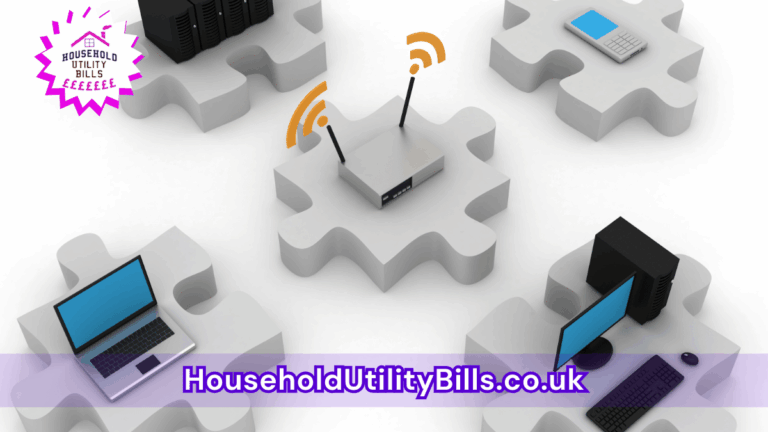
Low signal strength can contribute to your broadband issues. If your router is located far from your devices, you might not get sufficient coverage. Moving your router to a more central location or using Wi-Fi extenders can enhance your signal and ensure better performance.
3. broadband dropping during downloads: Impacts on Bills and Contracts
Experiencing frequent drops may cause you to rethink your broadband contract. If your provider fails to deliver advertised speeds consistently, you might be eligible to negotiate a better deal or switch providers without incurring additional costs. Regularly reviewing your usage and options helps you avoid overspending on services that don’t meet your needs.
- What Might Be Causing Your Router To Overheat And Restart: Common Issues Affecting Your Internet Stability
- Common Reasons Your Internet Slows During Peak Times: What Might Be Causing Slow Connections In Your Home?
- How To Maximise Your Internet: Increasing Broadband Speed At Home Explained
- How To Organise Your Household Bills During Life Changes: Costs, Causes, And Practical Solutions
- Comparing Mobile Phone Tariffs: Key Decisions And Common Mistakes
People Also Ask…
How can I improve my broadband speed at home?
To improve broadband speed, consider relocating your router, limiting active devices, or upgrading to a better broadband package.
What should I do if my broadband frequently drops?
If your broadband frequently drops, check for interference, ensure your router is up-to-date, and consider contacting your provider for assistance.
Why does my broadband drop at certain times?
Your broadband may drop during peak usage times when many users are online. Adjusting usage patterns or upgrading your plan can help mitigate this issue.
Can my devices affect broadband stability?
Yes, devices connected to your network can impact stability. Older devices or those running updates may consume more bandwidth, causing drops.
Your Broadband Throws a Download Tantrum — Then Streaming Pays
A download can turn streaming, gaming and work into a buffering circus — and a faster package won’t help if Wi-Fi or one device is the real culprit. HUBS Broadband Drop Diagnostic & Provider Call Sheet helps you narrow down the fault and prepare a sharper provider call before spending. See what to check before spending a penny:
- Log when each drop happens, what is downloading, which devices and services are affected, whether they use Wi-Fi or Ethernet, and what the router lights show
- On the same device, compare a speed test with downloads paused against one during a single controlled download; note the results and any interruptions
- Compare performance near the router with the problem room, and try an Ethernet connection if available. This can help distinguish Wi-Fi coverage trouble from a wider connection drop
Plus more… Unlock the rest now.
Free. Sent straight to your inbox. No marketing unless you choose it above.