

Last updated: 12 June 2026
Router flashing green but no connection is a frustrating issue many households face. This typically indicates that the router is receiving power and attempting to connect to the internet, but it is failing to establish a proper internet connection.
To solve this, you should first check all physical connections and restart your router. Often, simply unplugging it and plugging it back in can reset the connection process. When you do this, you may notice the lights stabilizing, signifying improvement.
This issue is relevant because a stable internet connection is vital for everyday activities such as working from home, online learning, and streaming. If your connection remains poor, you may risk increased household costs, such as paying for a service you can’t use effectively.
Your Router’s Green Light Is Throwing a No-Internet Disco
A flashing green light can be a tiny disco masking an outage, a loose link or a Wi-Fi-only fault. HUBS No-Internet Router Rescue Plan helps you trace the culprit before a factory reset wipes your settings. Get the practical checks before you decide:
- Find your router’s exact make and model, then check what its flashing green light means; light patterns vary between devices
- Check your provider’s service-status page and account for outages or known faults before changing router settings
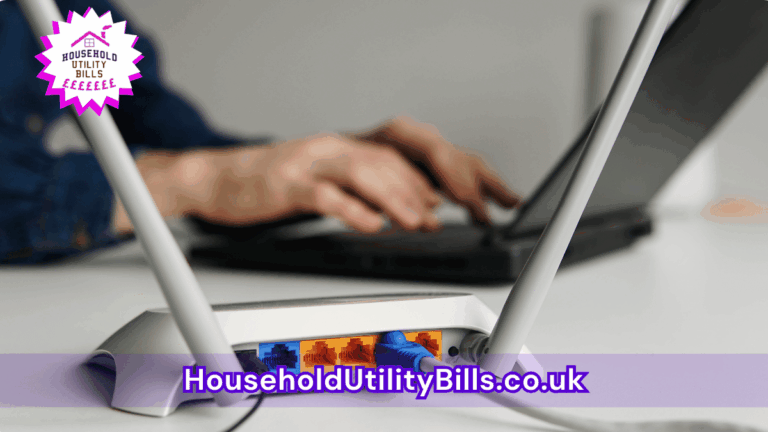
- Trace the connection from the wall socket or modem/ONT to the router’s broadband or WAN port; reseat accessible cables and look for visible damage
Plus more… Get the full guide now.
Free. Sent straight to your inbox. No marketing unless you choose it above.
1. router flashing green but no connection: Understanding the meaning
This situation often arises when there is a breakdown in communication between your router and the internet service provider. A common misconception is that a green light always means a stable connection. However, the flashing is a sign of struggle rather than success, indicating that your service may be interrupted or down entirely.
2. router flashing green but no connection: What to check first
Begin by ensuring all cables are secure, as loose connections can lead to intermittent issues. Additionally, verify that there are no outages reported by your internet service provider. You can do this by checking their website or contacting them directly for support. If an outage is confirmed, your router may have no way of connecting despite the green light.
3. router flashing green but no connection: Common solutions to try
Restart your router by unplugging it for about 30 seconds before switching it back on. If the issue persists, access your router settings through a web browser and ensure your service settings are configured correctly. It might also help to reset your router to factory settings, but be aware that this will erase all your custom configurations, including Wi-Fi names and passwords.
- What Might Be Causing Your Router To Overheat And Restart: Common Issues Affecting Your Internet Stability
- Common Reasons Your Internet Slows During Peak Times: What Might Be Causing Slow Connections In Your Home?
- Why Your Internet Might Cut Out Every Afternoon: Common Causes And Solutions
- Comparing Mobile Phone Tariffs: Key Decisions And Common Mistakes
- How To Organise Your Household Bills During Life Changes: Costs, Causes, And Practical Solutions
People Also Ask…
How can I tell if my internet provider is down?
You can check by visiting your provider’s website or calling their customer service for updates about any current outages.
What should I do if restarting my router doesn’t work?
If restarting doesn’t help, check all cable connections and consider resetting the router to factory settings. Make sure your provider’s settings are correctly entered.
Is there a way to test if my router is working correctly?
Yes, connect your device to the router via an ethernet cable; if you can access the internet this way, the router is working, and the issue may lie with your Wi-Fi connection.
Should I replace my router if it keeps flashing green?
If the issue persists despite repeated troubleshooting, it may be worth considering a replacement, especially if the router is several years old.
Your Router’s Green Light Is Throwing a No-Internet Disco
A flashing green light can be a tiny disco masking an outage, a loose link or a Wi-Fi-only fault. HUBS No-Internet Router Rescue Plan helps you trace the culprit before a factory reset wipes your settings. Get the practical checks before you decide:
- Find your router’s exact make and model, then check what its flashing green light means; light patterns vary between devices
- Check your provider’s service-status page and account for outages or known faults before changing router settings
- Trace the connection from the wall socket or modem/ONT to the router’s broadband or WAN port; reseat accessible cables and look for visible damage
Plus more… Get the full guide now.
Free. Sent straight to your inbox. No marketing unless you choose it above.