

Last updated: 12 June 2026
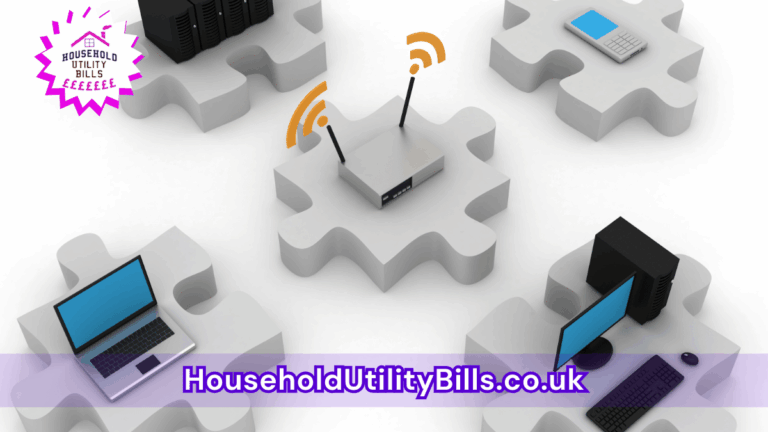
If you’re experiencing a wifi signal full but slow, it’s likely causing frustration, especially during streaming. A strong connection doesn’t always guarantee fast speeds, impacting your ability to enjoy shows and movies online.
To address this issue, try rebooting your router, checking for interference from other devices, or even upgrading your broadband package. Taking these steps can lead to a better streaming experience, allowing for smooth playback without buffering.
This is especially relevant in a household where multiple devices are connected. Slow speeds can lead to interruptions and dissatisfaction, making it crucial to take action to ensure reliable internet access for everyone in your home.
Your Wi-Fi Has Full Bars and Buffers Like It’s Paid to Misbehave
Those full bars are staging a tiny victory parade while your show buffers in the background. HUBS Full-Bars Wi-Fi Troubleshooting Sheet helps you catch whether the culprit is your broadband, router, device or a bandwidth-hogging housemate. See what to check before spending a penny:
- Compare wired and Wi-Fi tests to see where the slowdown starts
- Check your results against your provider’s stated speed before changing packages
- Give your provider a useful test log instead of a vague “it’s slow”
Plus more… Get the full version in your inbox.
Free. Sent straight to your inbox. No marketing unless you choose it above.
1. wifi signal full but slow: Understanding common causes
Slow speeds, even with a strong wifi signal, often stem from the type of broadband you subscribe to. Many people might assume that a high signal strength equates to fast internet, but that’s not always the case. Factors like network congestion, distance from the router, and the capabilities of your devices can significantly affect your streaming quality.
2. wifi signal full but slow: What you can do to improve speeds
To enhance your internet experience, consider performing speed tests at different times of the day. If you consistently find low speeds, it may be time to upgrade your broadband plan. Additionally, connecting devices via an Ethernet cable can reduce lag while streaming.
3. wifi signal full but slow: Assessing your household setup
In many homes, multiple devices are often streaming or downloading simultaneously, which can lead to bandwidth saturation. To reduce this, check if any devices are using excessive data and disconnect those that are not in use. Also, placing your router in a central location can improve overall performance throughout your home.
- Broadband Slow Despite Fast Plan: How It Affects Your Monthly Expenses
- Internet Slow When Kids Are Gaming: What Happens When Multiple Devices Compete For Bandwidth
- How Router Overheating Fix Can Lead To Better Internet Speeds
- Broadband Landline: What Most People Miss About Hidden Fees
- How Phone Apps Influence Daily Routines: What Happens When Technology Becomes Too Integrated?
People Also Ask…
How can I check my internet speed?
You can check your internet speed by using online speed test tools. Simply search for “internet speed test” and follow the instructions provided on one of the websites.
What can interfere with my wifi signal?
Common interferences include walls, microwaves, and other electronics like cordless phones. Keeping your router away from these devices can improve your signal.
Why is my streaming buffering even with strong wifi?
Buffering can occur due to your internet speed being lower than required for smooth streaming. Check if your current plan supports the streaming quality you desire.
Can upgrading my broadband help?
Yes, upgrading to a faster broadband package can help provide the necessary speeds for streaming and reduce lag.
Your Wi-Fi Has Full Bars and Buffers Like It’s Paid to Misbehave
Those full bars are staging a tiny victory parade while your show buffers in the background. HUBS Full-Bars Wi-Fi Troubleshooting Sheet helps you catch whether the culprit is your broadband, router, device or a bandwidth-hogging housemate. See what to check before spending a penny:
- Compare wired and Wi-Fi tests to see where the slowdown starts
- Check your results against your provider’s stated speed before changing packages
- Give your provider a useful test log instead of a vague “it’s slow”
Plus more… Get the full version in your inbox.
Free. Sent straight to your inbox. No marketing unless you choose it above.